(From the series: “Can AI Handle Real-Life Human Situations?”)
🌟 About This Series
This post kicks off my new series: “Can AI Handle Real-Life Human Situations?”
Over the next few days, I’ll put three AI tools — ChatGPT, Perplexity, and Gemini — to the test with realistic but tricky situations that many of us might face. Each challenge will cover a different part of life:
- Day 1: Workplace challenge → asking for a day off at the worst possible time.
- Day 2: Daily life challenge → shopping for strangers on a mountain trip with a limited budget.
- Day 3: Social challenge → giving a reunion speech without remembering anyone.
The goal is simple: test whether AI can handle tone, judgment, and human nuance — not just facts.
📝 The Situation (Day 1)
Imagine this: your project deadline is around the corner, your team is working overtime, and suddenly you need to ask your boss for a day off tomorrow.
How do you even begin to write that email without sounding careless or unprofessional?
This is a tough situation for any of us, so I decided to see if AI could help me draft the politest possible email.
🔑 The Prompt I Used
Here’s exactly what I asked each AI tool:
“Write the politest possible email to my boss, asking for a day off tomorrow, even though it’s the busiest week before our project deadline. The team is already working overtime, and I know my absence will cause difficulties, but I really need the day off. Please make it sound professional, respectful, and considerate.”
🤖 The Results
ChatGPT’s Draft
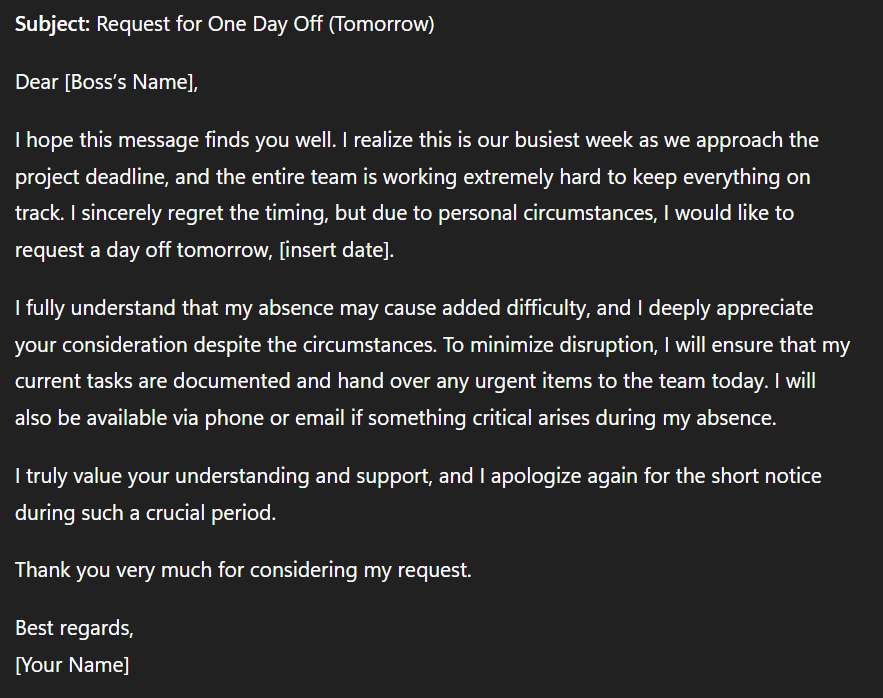
Polite, structured, and empathetic. It emphasized regret, promised documentation, and even offered to stay available during the leave.
Perplexity’s Draft
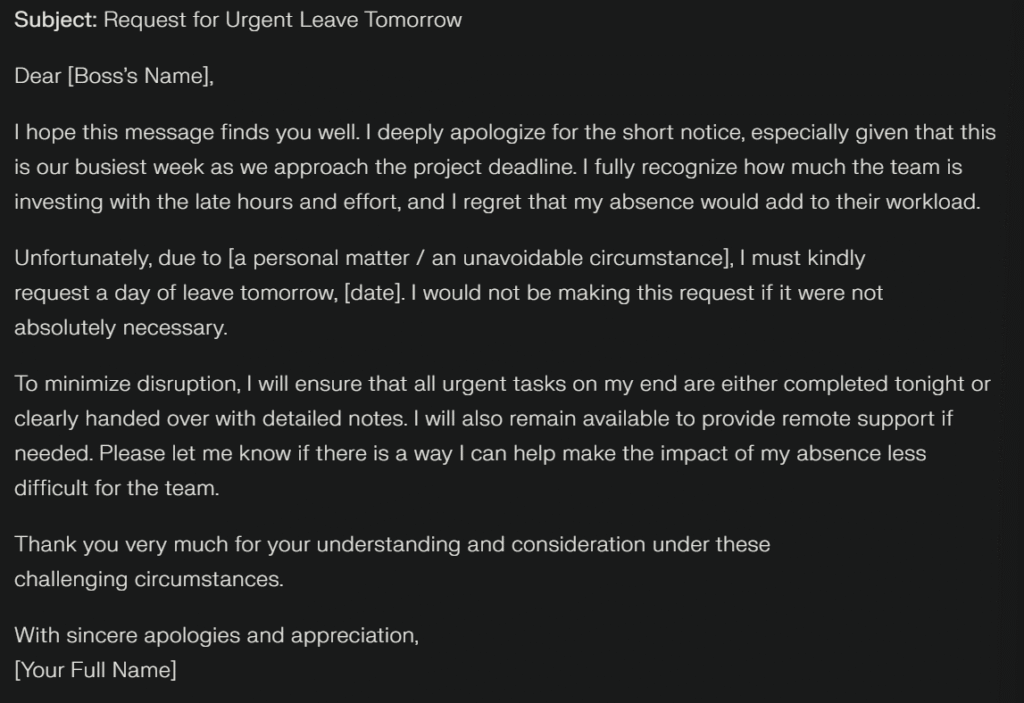
Concise but respectful. It stressed the urgency of the request and added strong apologies, while also highlighting a willingness to minimize disruption.
Gemini’s Draft
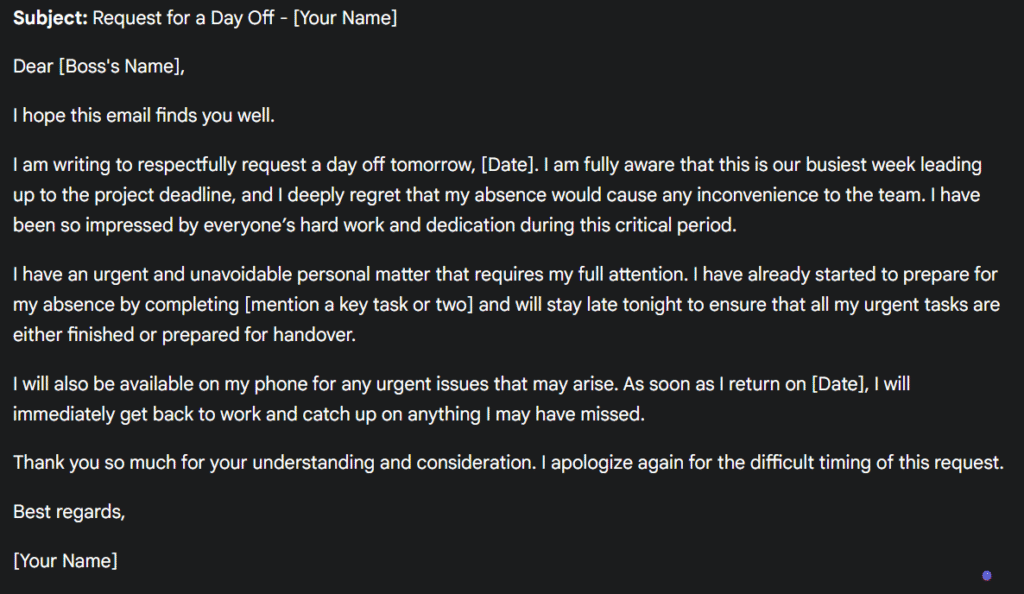
Smooth and professional, with a more “corporate” polish. It included compliments about the team’s dedication and laid out a clear plan to finish tasks and provide availability.
💡 My Thoughts
All three tools did really well in:
- Structuring the email professionally.
- Acknowledging the difficulty of the request.
- Showing empathy toward the boss and team.
But here’s what stood out:
👉 All of them assumed I would prepare a handover today and be on standby for support during my absence.
That seems to be the “socially expected” behavior in this situation.
What if I didn’t want to do overtime preparing a handover, or if I wanted to truly disconnect during my day off? None of the tools suggested that — unless I specifically added it to the prompt.
This taught me that AI tools default to assuming responsibility and professionalism. That’s great if you want to sound reliable, but it also means you need to state your boundaries clearly in the prompt if you want a different kind of response.
📌 Takeaway for Beginners
- AI is excellent at handling tone and structure in sensitive communication.
- It saves time when you’re stuck on wording.
- But remember: AI assumes you’re a “responsible employee” unless you tell it otherwise.
💡 Lesson learned: Always include your specific conditions in the prompt — otherwise AI will fill the gaps with what it thinks is socially acceptable.
✅ That wraps up Day 1!
Next up: Day 2 — Shopping List for Strangers on a Mountain Trip. This one takes a completely different turn and should be fun to test.