Effective Prompting for AI Beginners: How to Get Better Results with ChatGPT
“Prompting isn’t just typing words. It’s how you translate your imagination into code the AI can understand.”
When we first start using AI tools like ChatGPT, it feels magical: you type something, and it gives you an answer. But here’s the secret — the way you write your prompt changes the result completely.
In this post, I’ll walk you through what makes a good prompt, share official ChatGPT tips (in beginner-friendly language), and show side-by-side examples of simple vs. detailed prompts so you can see the difference for yourself.
What Makes a Good Prompt?
Think of prompting like giving directions. If you just say, “Take me somewhere fun,” your driver could take you anywhere. But if you say, “Take me to the coffee shop on Main Street that has Wi-Fi and is quiet,” you’ll get exactly what you want.
A good prompt usually includes:
Context → Who or what the AI should “be” (e.g., teacher, chef, travel guide).
Clarity → What you want it to do (e.g., summarize, create, explain).
Constraints → How you want it delivered (e.g., short, bullet points, under 100 words).
ChatGPT Prompting Tips (Beginner-Friendly)
OpenAI provides guidance on effective prompting. Here’s the simple version for beginners:
Be clear and specific → Instead of “Tell me about AI,” ask “Explain AI in 3 bullet points, like I’m a beginner.”
Give AI a role → Example: “Act as a friendly teacher.”
Set constraints → Limit length, tone, or format. (“Keep it under 80 words, in story form.”)
Show examples → Share a sample sentence or style if you want it to match.
Iterate → Don’t expect perfection on the first try. Follow up with: “Make it shorter” or “Explain more simply.”
Simple vs. Detailed Prompts in Action
I tested three examples in ChatGPT to compare how simple prompts differ from detailed prompts.
Example 1: Creative Writing
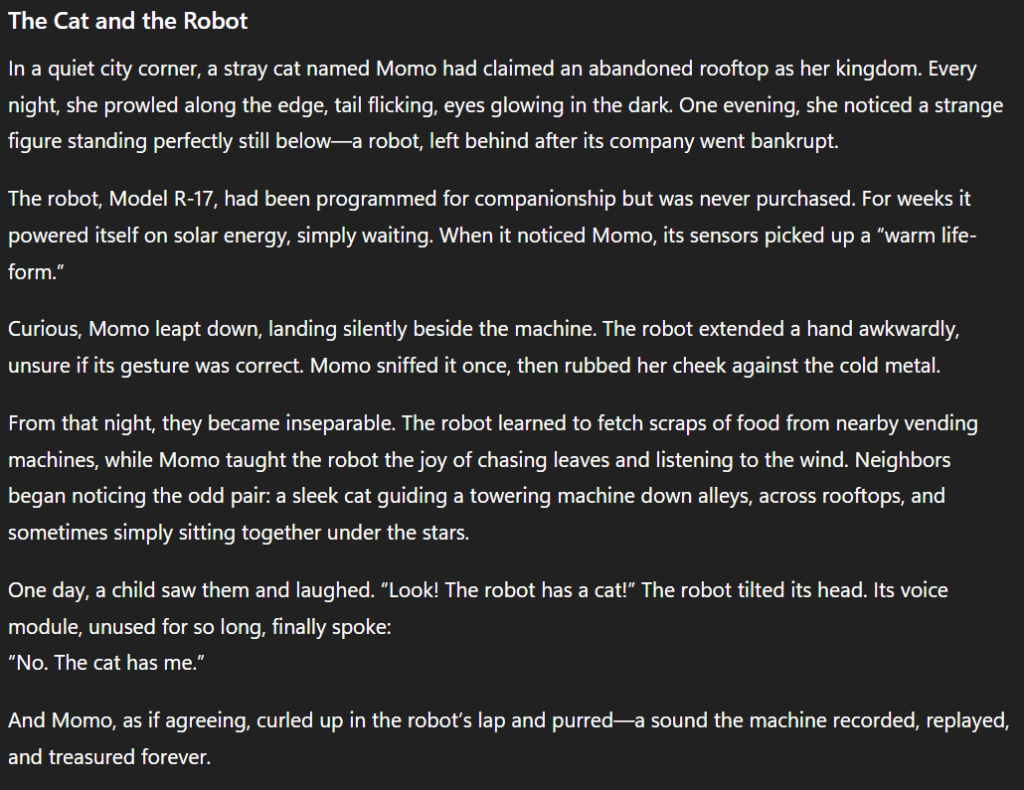
Simple Prompt: “Write a story about a cat and a robot.”
ChatGPT Output:
A long, descriptive story about a stray cat named Momo and a robot named R-17 who become inseparable friends, helping each other and finding joy together.
Detailed Prompt: “Write a short bedtime story (under 80 words) about a cat and a robot for a 10-year-old. End with a happy lesson.”
ChatGPT Output:
My Reflection: The simple prompt gave me a full, detailed short story — great if I just wanted inspiration. But the detailed prompt delivered a short bedtime story that fit exactly what I asked for.
Example 2: Dinner Idea
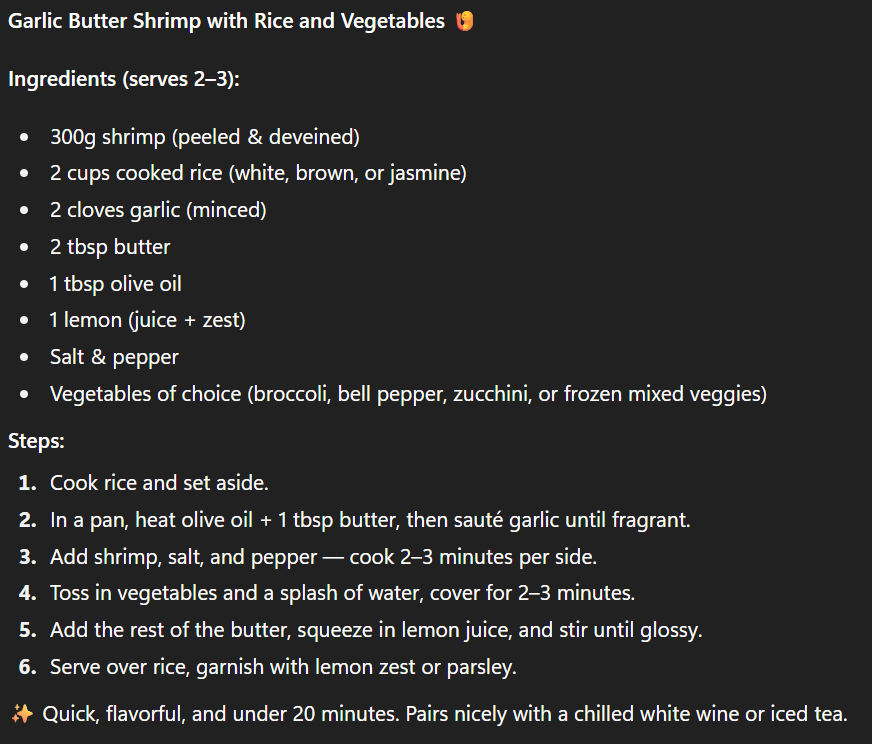
Simple Prompt: “Give me a dinner idea.”
ChatGPT Output:
Suggested a garlic butter shrimp dinner, including ingredients and steps, but it required shrimp — something I might not have on hand.
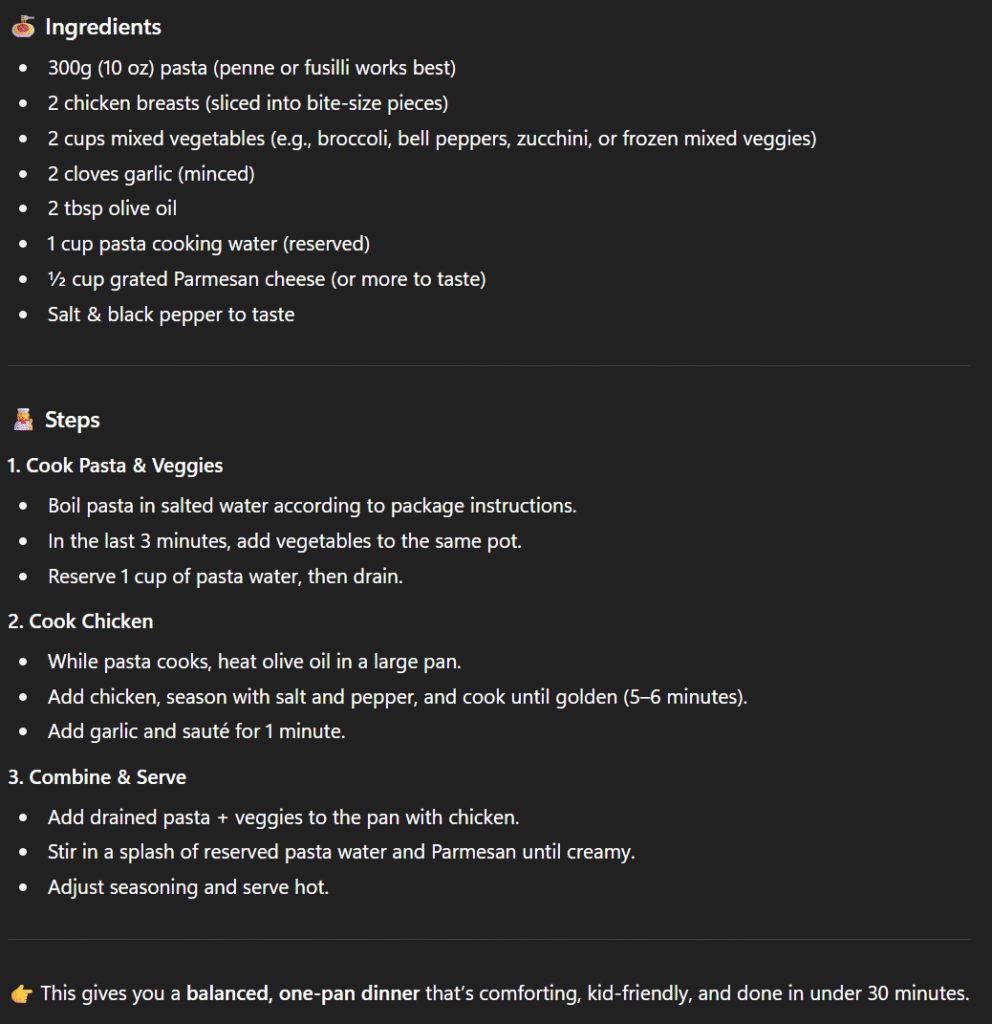
Detailed Prompt: “Suggest a 1-night dinner recipe for a family of four using chicken, pasta, and vegetables. The cooking should take less than 30 minutes. Write ingredients + 3 simple steps.”
ChatGPT Output:
Gave a chicken pasta recipe with vegetables, 3 clear steps, and practical ingredients.
My Reflection: Both outputs were delicious ideas. The simple prompt gave me a good suggestion, but I might need to buy ingredients. The detailed prompt was more practical — it matched what I had in my fridge and saved me time.
Example 3: Research / Summary
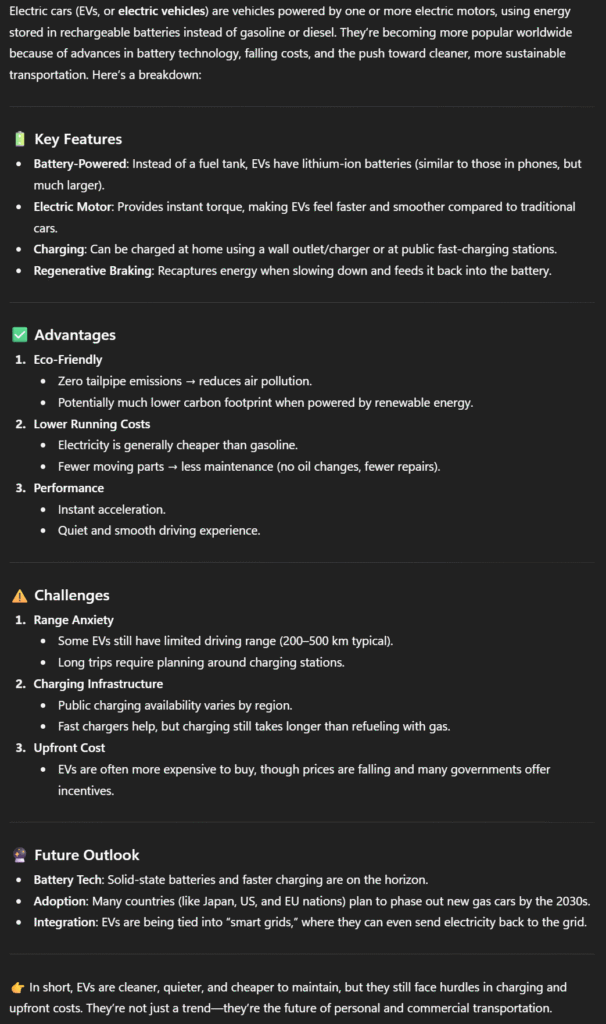
Simple Prompt: “Tell me about electric cars.”
ChatGPT Output:
A long explanation with features, advantages, challenges, and future outlook of electric cars.
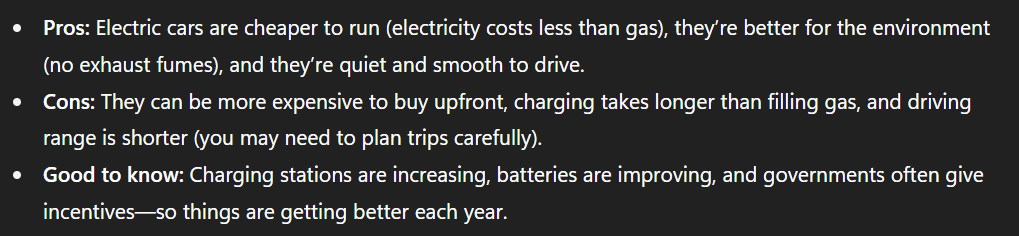
Detailed Prompt: “Summarize the pros and cons of electric cars in 3 bullet points. Use simple beginner-friendly language.”
ChatGPT Output:
My Reflection: The simple prompt gave me a lot of information, but it took time to read. The detailed prompt gave me exactly what I wanted — a quick summary I could understand at a glance.
Key Takeaways for Beginners
Clearer prompts = clearer results.
Add context, clarity, and constraints to guide the AI.
Simple prompts are fine for open exploration.
Detailed prompts are powerful when you want specific, time-saving results.
Prompting is a skill you’ll improve through practice.
Closing Thoughts
Prompting is like learning a new language. At first, it feels awkward, but the more you practice, the better you get at talking to AI.
Next time you use ChatGPT, try writing both a simple prompt and a detailed prompt for the same task. You’ll quickly see how much more control you have over the results.